
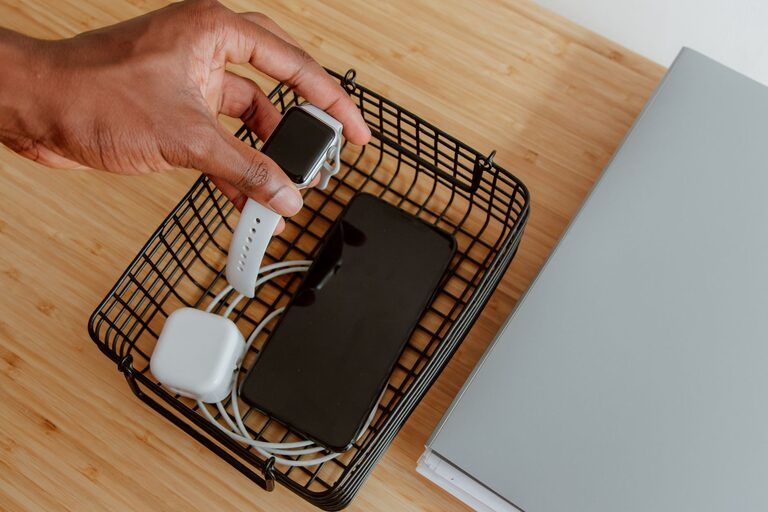
How to Set Up a Charging Station for Devices at Home
Setting up a dedicated charging station for your devices can make a significant difference in keeping your space organized and ensuring all your gadgets are powered and ready to go. Whether you have smartphones, tablets, smartwatches, or other rechargeable electronics, a well-designed charging station helps eliminate clutter and cables scattered around your home or office.
In this guide, we’ll walk you through how to create an efficient charging station that fits your needs perfectly.
Why Set Up a Charging Station?
With the number of devices we use daily, charging can become chaotic. Devices left plugged in different spots or chargers lost can cause frustration. Here are some benefits of having a dedicated charging station:
– Organization: Keeps cables, adapters, and devices in one place.
– Convenience: Easy access when you need to charge or grab a device.
– Safety: Reduces the risk of tripping over cables or damaging devices.
– Aesthetics: Creates a tidy and neat area, enhancing your space.
Step 1: Choose the Right Location
Selecting a good location for your charging station is essential. Consider the following factors:
– Accessible Power Outlets: Choose a spot near enough outlets to power all your devices.
– Visibility: A visible area can help you remember to charge your devices regularly.
– Ventilation: Devices can get warm while charging, so good airflow is helpful.
– Surface: Use a stable, flat surface such as a desk, shelf, or table.
Popular locations include a corner of a living room table, a hallway console, or a dedicated desk space.
Step 2: Gather Necessary Equipment and Supplies
Having the right tools and supplies makes setup easier. Here’s what you might need:
– Charging Hub or Multi-Port USB Charger: Saves space by charging multiple devices simultaneously.
– Power Strip with Surge Protection: Protects your electronics from power surges.
– Cable Organizers: Clips, sleeves, or boxes to keep cables untangled.
– Device Holders or Stands: Keep gadgets upright and visible during charging.
– Labels or Tags: Optional, but helpful to identify cables or chargers.
– Charging Cables: Make sure you have enough cables compatible with your devices.
Step 3: Plan Your Setup
Before plugging anything in, think about how you want your station to look and function:
– Number of Devices: Count your devices so you know how many ports and cables you’ll need.
– Charging Speed: Consider quick chargers for fast charging.
– Cable Lengths: Use cables that fit the space without excess slack.
– Accessibility: Decide how easy you want it to be to plug and unplug devices.
Sketching a quick layout can help organize spacing and cable routing.
Step 4: Set Up Power Sources and Organize Cables
With a plan in place, start by arranging your power sources:
- Plug your multi-port charger or charging hub into the power strip.
- Connect the power strip to the wall outlet.
- Lay out your charging cables, grouping them with cable organizers.
- Use cable clips or ties to prevent cables from tangling.
- Hide excess cable length in a cable box or use cable sleeves for a clean look.
Keeping cables off the floor reduces clutter and hazards.
Step 5: Arrange Devices and Accessories
Place your device holders or stands on the chosen surface. Position them so devices are easy to place and remove. Once the holders are set:
– Connect each device to its charging cable.
– Place devices in their holders.
– Label cables or ports if you have many similar devices.
If you want extra convenience, consider adding a small basket or drawer nearby for device accessories like earbuds or chargers.
Step 6: Maintain Your Charging Station
To keep your charging station effective, regular maintenance is key:
– Clean the area weekly to avoid dust buildup.
– Check cables for wear or damage and replace as needed.
– Reorganize cables if they become tangled.
– Update equipment if you add new devices requiring different chargers.
A tidy charging station will remain functional and pleasant to use.
Additional Tips for a Better Experience
– Use Wireless Chargers: If many devices support wireless charging, adding a wireless charging pad reduces cable clutter further.
– Consider Portability: If you travel frequently, use a portable charging station that can be packed easily.
– Incorporate Lighting: Adding a small LED light can help you find ports and devices at night.
– Use Smart Plugs: Schedule charging times or monitor electricity use if you want to be energy-conscious.
Conclusion
Setting up a charging station is a straightforward project that brings order and convenience to your daily routine. By carefully choosing a location, gathering appropriate equipment, organizing cables, and maintaining the space, you can enjoy a clutter-free area where all your devices are ready when you need them. With these tips, your charging station will be a practical and neat addition to your home or office. Happy charging!
