
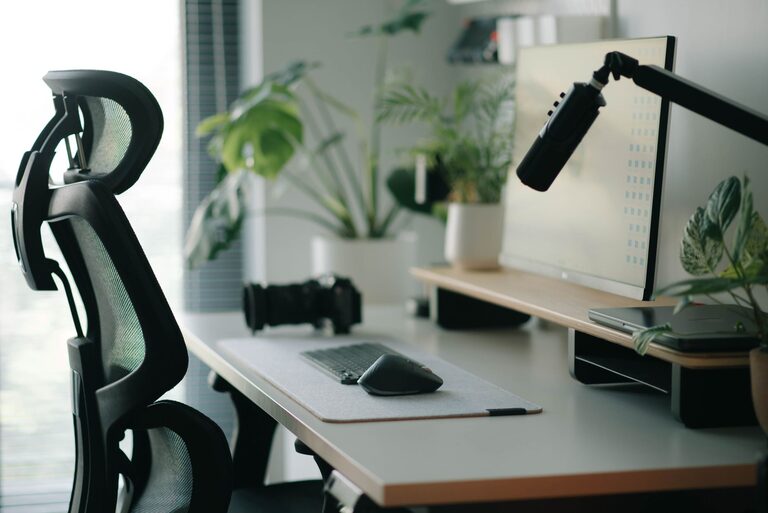
Desk Setup Tips for Focus and Comfort That Boost Productivity
Creating a desk setup that promotes both focus and comfort can make a big difference in your productivity and overall well-being. Whether you work from home, study, or spend long hours at your desk, having an organized and ergonomic workspace helps reduce distractions, minimize discomfort, and keep you motivated throughout the day.
In this post, we’ll explore practical tips to optimize your desk setup for better concentration and physical comfort — no matter the size of your space or budget.
Why Your Desk Setup Matters
Your desk is more than just a surface to place your computer and papers. It’s the foundation of your work environment. A cluttered or poorly arranged desk can lead to physical strain, mental fatigue, and frequent interruptions.
On the other hand, a well-thought-out desk setup can:
– Improve posture and reduce pain
– Enhance focus by minimizing distractions
– Encourage good habits like regular breaks and movement
– Make work feel more enjoyable and less stressful
Choose the Right Desk and Chair
Size and Shape
Select a desk that fits your space but offers enough surface area for your needs. A desk with extra space allows you to spread out documents and tools without overcrowding. L-shaped desks or corner desks can be great for maximizing space in smaller rooms.
Adjustable Chair
Investing in an adjustable chair with good lumbar support is key to comfort. Your chair height should allow your feet to rest flat on the floor, and your thighs should be parallel to the ground. Proper support reduces back and neck strain during long work sessions.
Position Your Monitor Correctly
The placement of your computer screen affects both your posture and eye comfort.
– Position the monitor about an arm’s length away
– The top of the screen should be at or just below eye level
– Tilt the monitor slightly upward to reduce glare and neck strain
If you use multiple screens, arrange them so that you can view them with minimal head movement.
Optimize Lighting
Good lighting reduces eye strain and helps you stay alert.
– Use natural light whenever possible, positioning your desk near a window
– Avoid glare on your screen by placing the monitor perpendicular to windows
– Consider a desk lamp with adjustable brightness and color temperature for task lighting
Soft, warm lighting in the evening can help signal your body that it’s time to wind down.
Organize Your Desk for Efficiency
Declutter Regularly
A clean desk minimizes distractions and helps you focus. Keep only the essentials on your desk and store other items in drawers or shelves.
Use Organizers
Desk organizers, trays, or drawer dividers help keep pens, papers, and accessories tidy and easy to reach.
Cable Management
Untangle and secure cables with clips or sleeves to prevent a messy look and accidental unplugging.
Introduce Comfort Accessories
A few comfort-enhancing accessories can improve your workday experience:
– Keyboard and Mouse: Ergonomic designs reduce wrist strain
– Wrist Rest: Provides support and can prevent repetitive strain
– Footrest: Helps maintain good posture if your feet don’t reach the floor
– Standing Desk Converter: Allows you to alternate between sitting and standing
Personalize Your Space Mindfully
Adding personal touches can make your workspace more inviting, but avoid clutter.
– A small plant can boost mood and air quality
– Photos or artwork that inspire you
– A comfortable cushion or blanket for added coziness
Balance personalization with simplicity to maintain focus.
Establish Good Habits Around Your Setup
Your desk setup is only as effective as the habits you build around it.
– Take regular breaks to stretch and rest your eyes (try the 20-20-20 rule: every 20 minutes, look at something 20 feet away for 20 seconds)
– Keep water nearby to stay hydrated
– Set clear boundaries to minimize interruptions during work time
Conclusion
Investing time and thought into your desk setup can greatly enhance your comfort and ability to focus. By choosing the right furniture, organizing your space, optimizing lighting, and incorporating ergonomic accessories, you create a workspace that supports your productivity and well-being. Remember, small changes can lead to big improvements, so start with one or two adjustments and build from there.
Happy working!
