
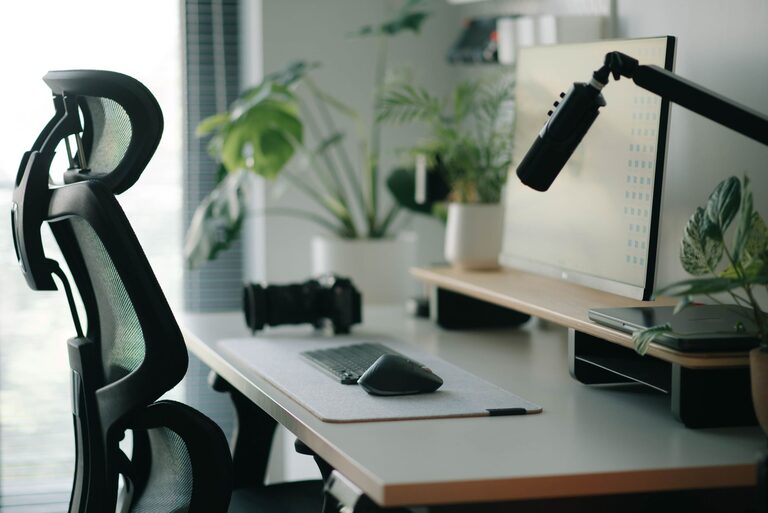
Desk Setup Tips for Focus and Comfort
Creating a workspace that supports both focus and comfort is essential for productivity and well-being. Whether you work from home or in an office, a thoughtfully arranged desk can make a big difference in how you feel and perform throughout the day. In this post, we’ll explore practical tips to optimize your desk setup for maximum comfort and concentration.
Why Your Desk Setup Matters
A well-organized and ergonomic desk helps reduce distractions, prevent discomfort, and improve your overall work experience. Poor posture or clutter can contribute to fatigue, pain, and decreased motivation. By making small but thoughtful changes, you can create a workspace that encourages focus and supports your physical health.
Choosing the Right Desk and Chair
Select a Suitable Desk
– Size and surface: Ensure your desk is large enough to hold your essential items without overcrowding. Clearing unnecessary clutter leaves space for your work materials and devices.
– Height: The desk height should allow your forearms to rest comfortably parallel to the floor while typing or writing.
Invest in an Ergonomic Chair
– Adjustable features: Look for a chair with adjustable height, backrest, and armrests to fit your body shape.
– Lumbar support: Good lower back support helps maintain proper posture and prevents back pain.
– Comfort: The chair should have comfortable padding and breathable fabric for long sitting periods.
Monitor Placement for Reduced Strain
– Position your monitor about an arm’s length away.
– The top of the screen should be at or slightly below eye level.
– Tilt the screen to reduce glare and neck strain.
– If you use multiple monitors, arrange them so the primary screen is directly in front of you.
Keyboard and Mouse Setup
– Place your keyboard and mouse on the same surface, close enough to avoid overreaching.
– Keep your wrists in a neutral position by using a wrist rest if needed.
– Consider ergonomic keyboards or mice designed to reduce strain.
Lighting Matters
– Use natural light when possible, positioning your desk near a window but avoiding direct glare.
– Supplement with adjustable desk lamps to provide focused lighting on your work area.
– Avoid harsh overhead lights that can cause eye strain.
Organize Your Desk for Clarity and Efficiency
Declutter Regularly
– Remove items you don’t use daily.
– Limit personal items to one or two meaningful objects to avoid distractions.
Use Storage Solutions
– Desk drawers, trays, and organizers help keep papers and office supplies tidy.
– Cable organizers prevent tangles and maintain a neat appearance.
Arrange Items by Frequency of Use
– Keep frequently used items within easy reach.
– Store less-used materials further away to keep your workspace clean.
Add Comfort and Personal Touches
– Use a footrest if your feet don’t comfortably reach the floor.
– Incorporate a plant or two to bring a bit of nature indoors, which may boost mood.
– Adjust room temperature and air quality to create a comfortable environment.
Take Breaks and Change Positions
Even the best setup benefits from regular movement.
– Stand up and stretch every 30-60 minutes.
– Consider alternating between sitting and standing if you use a sit-stand desk.
Summary
Optimizing your desk setup is a simple way to improve focus and comfort in your daily work. Pay attention to your desk and chair selection, monitor placement, lighting, and organization. Adding personal comfort elements and remembering to take breaks also supports a healthy work routine. By investing time into arranging your workspace thoughtfully, you’ll create an environment that helps you stay productive and comfortable all day long.
